How to Build a Quiz Template
Build one Elementor template that controls the layout of every LifterLMS quiz page on your site, with the quiz itself rendered by the Lifter Elements Quiz widget so its start screen, questions and results follow your design.
- Elementor Pro (the Theme Builder is a Pro feature), LifterLMS, and Lifter Elements 1.8.0 or later installed and active.
- A course with at least one quiz attached to a lesson, so the template has a quiz to preview. Lifter Elements registers quizzes as a Theme Builder location; see Theme Builder Locations.
1. Create a Single Post template
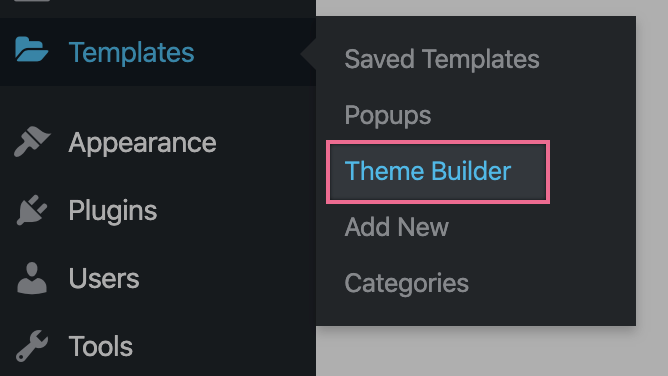
In the WordPress dashboard, go to Templates > Theme Builder and click Add New.

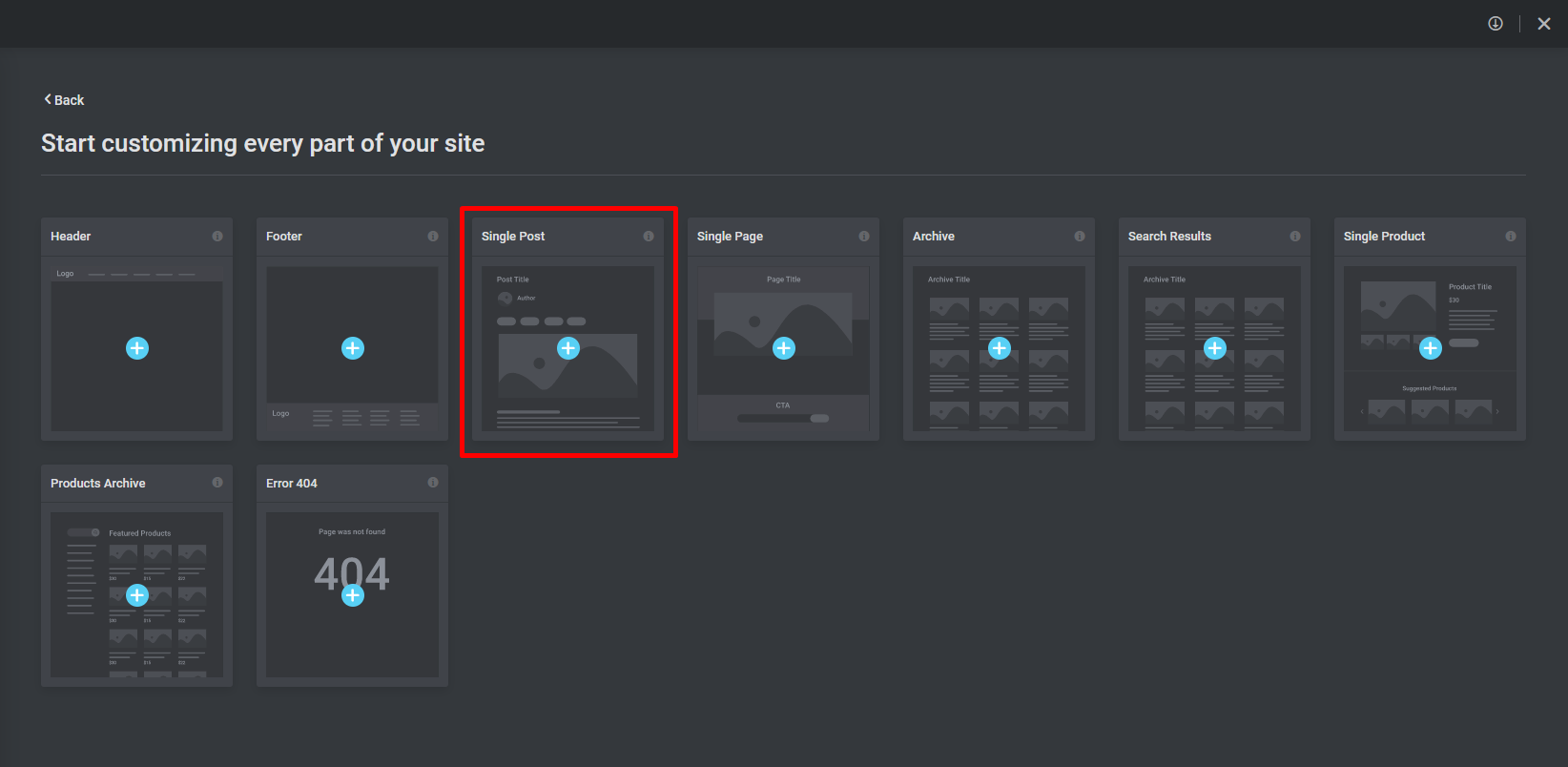
For the template type, choose Single Post. Name the template (for example "Quiz") and click Create Template. Close the template library to start from a blank canvas.
2. Preview with a real quiz
Open Settings (the gear icon at the bottom of the panel) and, under Preview Settings, choose Quiz and pick one of your quizzes. The Quiz widget only renders on a quiz, so without this the canvas shows a placeholder note instead of the quiz.
3. Lay out the quiz
Drag these widgets onto the canvas:
- Post Title (Elementor) — the quiz name.
- Quiz (Lifter Elements category) — the quiz itself: the start screen with the return link, previous results, quiz information, description and the Start Quiz button; then, once a student starts, the questions and the results. This is the one widget the template must contain.
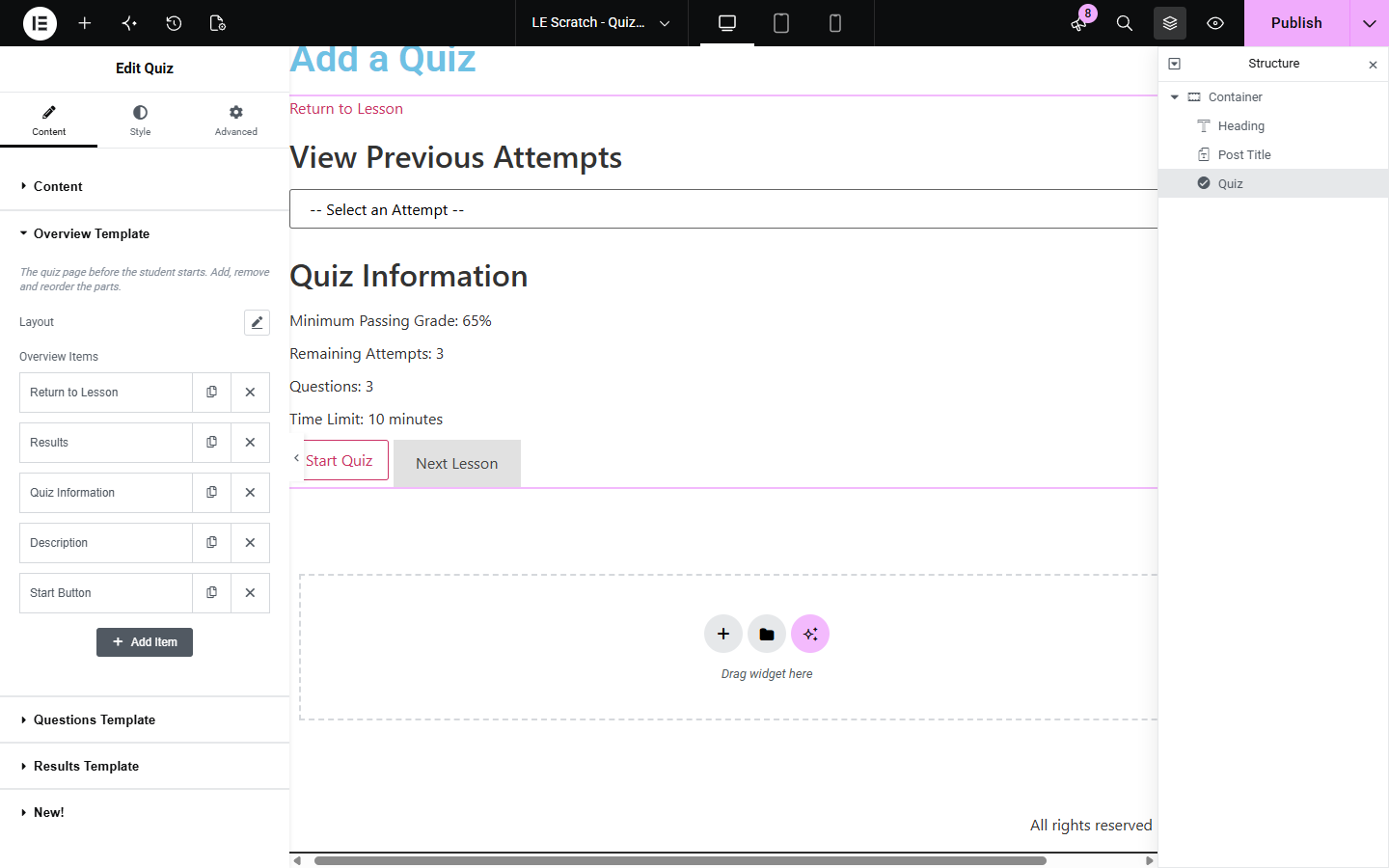
With the widget selected, leave Render on Lifter Elements and open the Overview Template section to reorder or remove the parts of the start screen, or set its Layout to Row to place parts side by side. The Questions Template and Results Template sections do the same for the question screen and the results block; while those sections are open, the canvas shows a sample of that screen so you can arrange and style it without taking the quiz. For LifterLMS's untouched layout, set Render to LifterLMS; the Style tab still applies.
Around the widget, add Elementor theme elements and any widgets that do not depend on course context. To show the quiz's details elsewhere on the page (a heading with the quiz title, a "Back to the lesson" button), bind them to the Quiz dynamic tags.
4. Publish with a display condition
Click Publish in the bottom-left corner of the editor. In the display conditions dialog, add a condition set to Include > Singular > Quizzes, then click Save & Close.
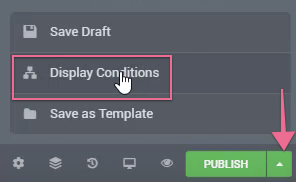
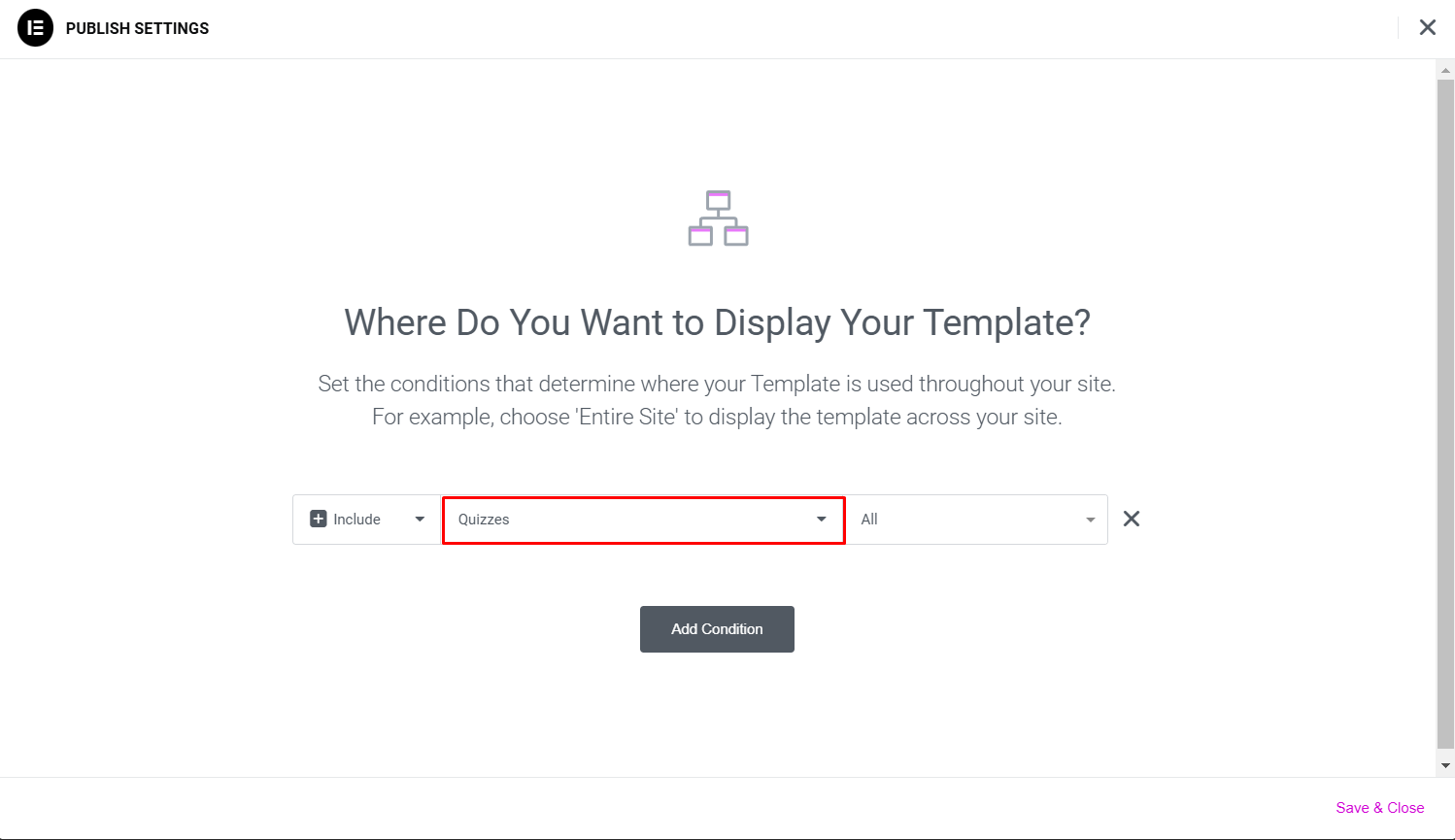
Use All under Quizzes to apply the template to every quiz, or pick individual quizzes to limit it. For more on conditions, see Elementor's Display Conditions guide.
Result
Every quiz page on the site now uses your template. Students see the quiz title and the start screen inside your layout; Start Quiz runs the questions inside the widget, and the results block appears in the position and style you gave it. Open a quiz as an enrolled student to check the whole flow, since administrators are never restricted from a quiz.
Course context only resolves on course and lesson pages. On a quiz page, Lifter Elements course widgets and course dynamic tags render empty, so keep quiz templates to the Post Title, the Quiz widget, the Quiz dynamic tags and context-free elements. Put course navigation in the lesson template instead; see How to Build a Lesson Template.
The Quiz widget's Secondary Button section has a Copy from Primary Button action. It copies the primary button's look, including what the theme gives it, so Next Lesson, Previous Question and Save & Exit match Start Quiz in one click, and you only style one button by hand.