Selling with WooCommerce Products
MemberSync adds options to WooCommerce products so a product can sell a license or an organization. You enable these on the product's Product data panel, alongside WooCommerce's own Virtual and Downloadable options.
Three MemberSync product options are available: Team Membership, MemberSync License, and MemberSync Organization. License and Organization are mutually exclusive. A product is one or the other.
The license product fields require WooCommerce Subscriptions to be active. See Compatibility.
License products
Enable MemberSync License on the product to sell a license. The product's General tab then shows the license options:
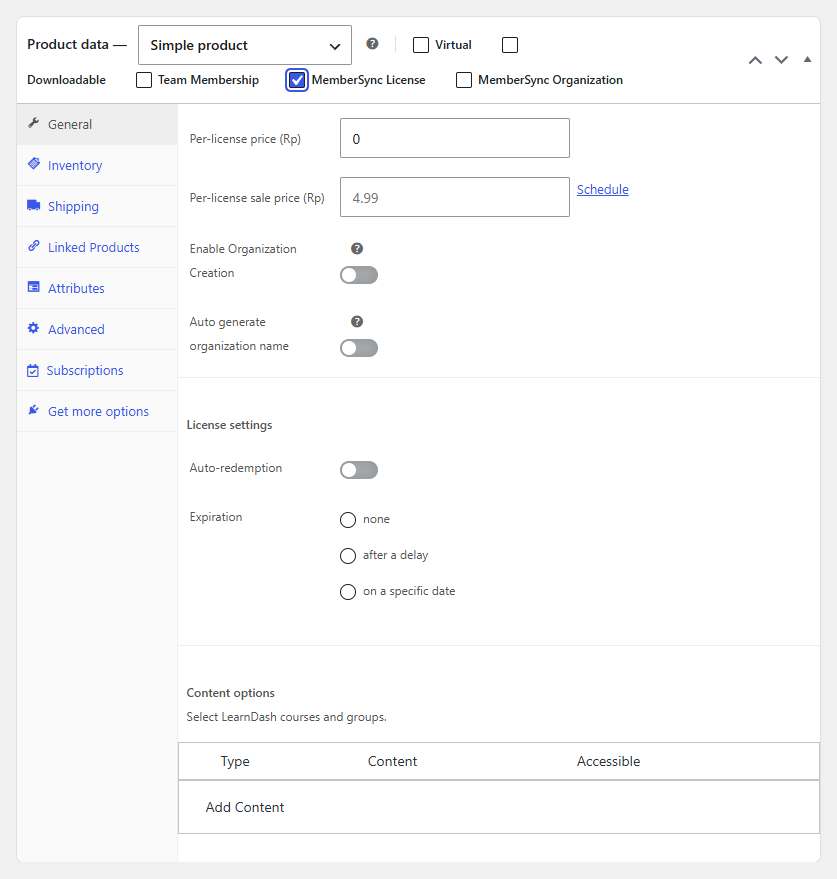
- Per-license price and Per-license sale price: what each license costs.
- Enable Organization Creation: when purchasing licenses can also create an organization for the buyer.
- Auto generate organization name: name that organization automatically (from the company name or username).
- Auto-redemption: automatically redeem the license when it's assigned.
- Expiration: when the license expires, either none, after a delay, or on a specific date.
- Content options: the LearnDash content the license grants.
Content options
Under Content options, select Add Content to add a rule:

- Type: Course, Course Category, or Group.
- Content: the specific course(s), category, or group.
- Accessible: when access begins, either Immediate, after a delay, or on a specific date.
Add as many rules as the license needs.
Organization products
Enable MemberSync Organization to sell organization access (seats) rather than an individual license. The product's General tab sets its price and the content it grants:
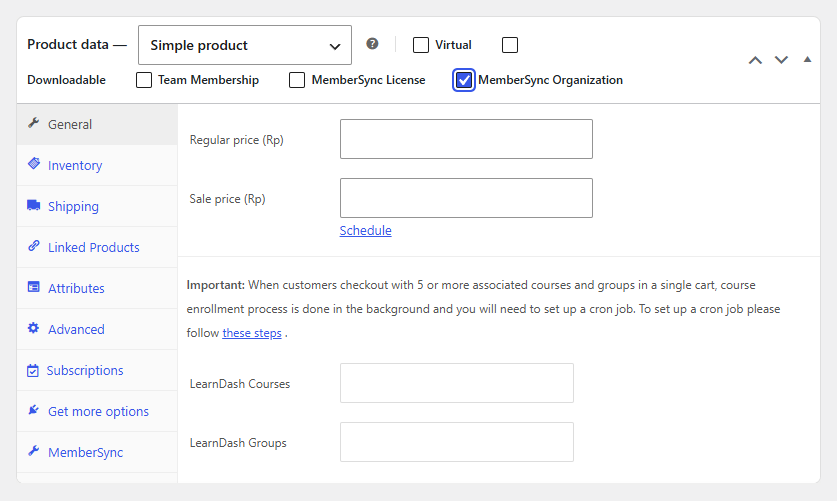
- Regular price and Sale price: what the organization product costs.
- LearnDash Courses and LearnDash Groups: the content the organization grants its members.
The MemberSync tab (in the Product data panel) holds the organization settings:
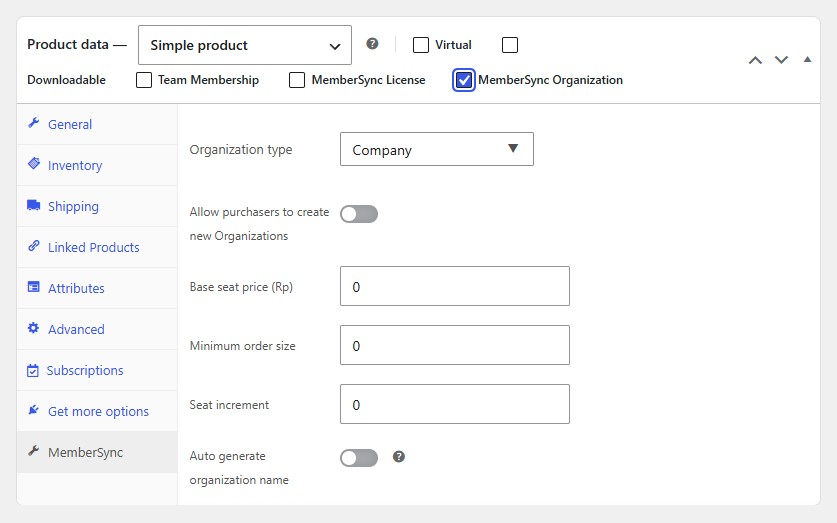
- Organization type: the organization type new organizations are created as.
- Allow purchasers to create new Organizations: let a buyer create a brand-new organization at checkout.
- Base seat price: the price per seat.
- Minimum order size: the fewest seats a buyer must purchase.
- Seat increment: the step size when buying additional seats.
- Auto generate organization name: name the organization automatically (from the company name or username).
When a single cart contains 5 or more associated courses and groups, MemberSync processes enrollment in the background, which requires a scheduled task (cron) to run. WooCommerce shows a note about this on the product screen.