Seat Types & Seats
A seat is a place within an organization that a member occupies. Occupying a seat grants that member the access the seat carries. A seat type is a reusable template that defines what a seat grants (which license types, and how many of each), so every seat created from it is consistent.
You create seat types under the MemberSync menu; seats themselves are assigned to members inside an organization.
Creating a seat type
Seat types are managed under MemberSync > Seat Types. To create one, select Add new.
1. Name the seat type. Give it a descriptive name (for example, Standard Seat).

2. Add the license types it grants. Under License Types, select Add item to add a row, then open the row (its Edit control appears when you hover over it) to configure:
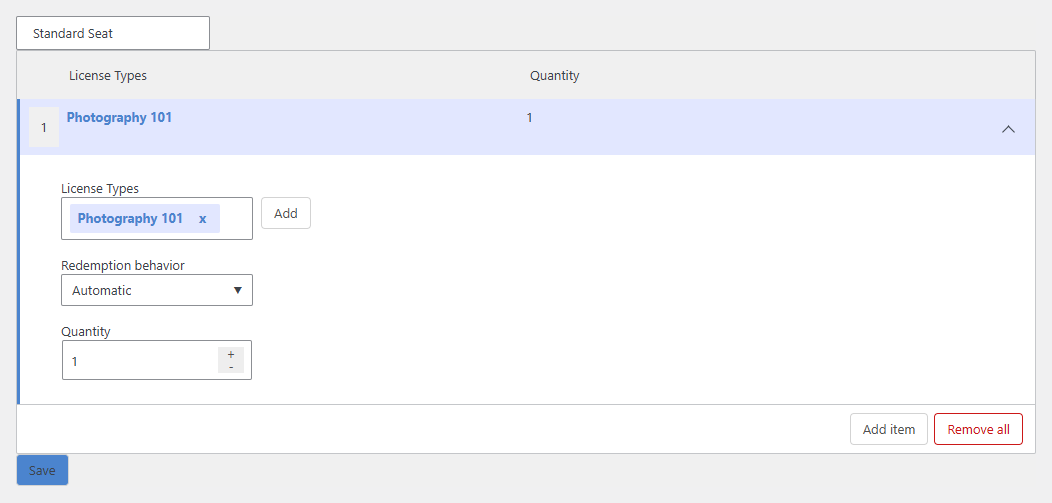
- License Types: choose one or more license types to include (select Add for each; remove one with its ×).
- Redemption behavior: whether the license is redeemed automatically when the seat is assigned, or manually.
- Quantity: how many of that license the seat provides.
Add more items if a seat should grant several license types.
3. Save. Select Save. Your seat type now bundles the license(s) you chose:

The saved seat type appears in the Seat Types list:
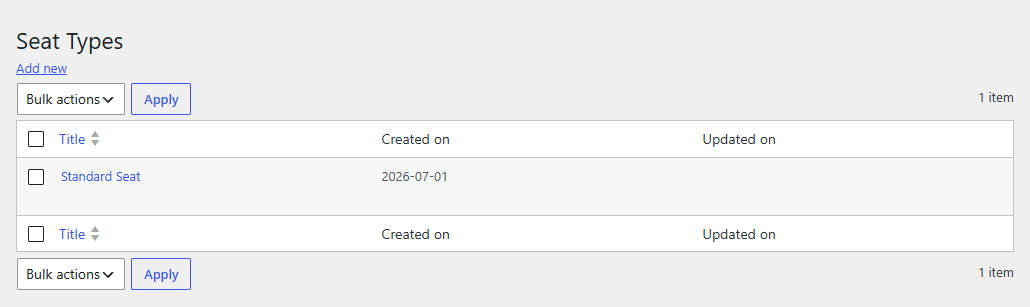
Because the seat type carries license types, a member assigned to a seat of this type receives those licenses, and therefore the LearnDash access the licenses grant.
Seats
Filling seats depends on adding members to the organization, which is still being finalized in the current release (see Organizations). The description below is the intended behavior.
An organization has a number of seats, its seat count, set when you create the organization and adjustable later. Seats are filled by adding members to the organization: each member you add takes a seat and receives the access that seat's licenses grant (redeemed automatically or manually, per the seat type's Redemption behavior).
Members and seats are managed by the organization's owner from the MemberSync Group Dashboard. See Organizations > Managing members, seats, and licenses for the full workflow (Add Member, Manage Members, and Manage Seats to add capacity).