How to Schedule Delayed or Date-Specific Course Access
Drip-release a course instead of granting it the moment a membership starts — either a set time after the member joins, or on a fixed calendar date.
A membership plan with at least one Course Enrolment (or Group Enrolment) rule — see How to Grant Course Access Through a Membership Plan.
1. Choose the schedule on the rule
Edit the plan, open the Course Enrolment tab, and on the rule set Accessible to either after a delay or on a specific date.
2. Set the timing
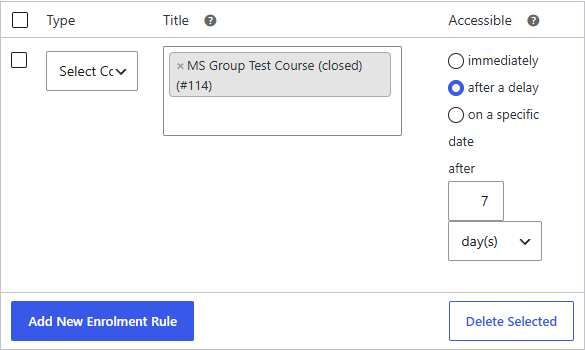
- After a delay — enter an amount and a period (days, weeks, months, or years). The delay is counted from each member's membership purchase date.
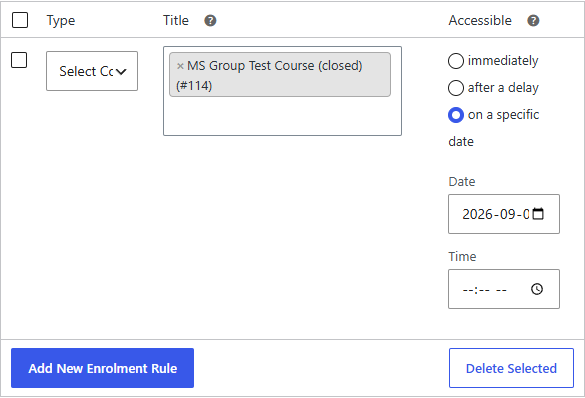
- On a specific date — pick the date and time the content unlocks.
The after a delay option shows an amount and period:
The on a specific date option shows a date and time picker:
3. Save
Save the plan.
Result
Members receive no access to that content until the schedule is due. When the time arrives, MemberDash enrols them automatically — there's no manual step and the member doesn't need to do anything.
Delayed and date-specific grants run as a scheduled background task, so the enrolment appears at (or shortly after) the due time rather than the instant the membership starts.