How to Grant Access by Course Category
Grant a whole LearnDash course category through a membership plan, so members get every course in it — and any course you add to that category later is granted automatically, with no plan edit needed.
Requirements
- A membership plan (see How to Grant Course Access Through a Membership Plan).
- A LearnDash course category with one or more courses in it.
1. Add a Course Enrolment rule
Edit the plan, open the Course Enrolment tab, and click Add New Enrolment Rule.
2. Set the type to course terms
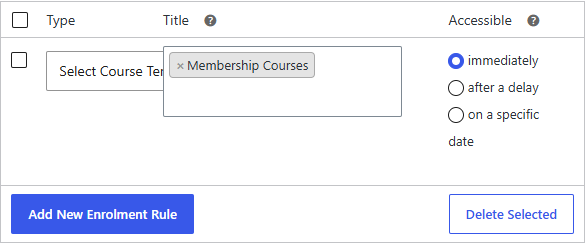
Set Type to Select Course Terms, then choose the course category in Title. Leave Title blank to apply to all categories.
3. Set the schedule and save
Choose an Accessible schedule and Save.
Result
Members on the plan are enrolled in every course in the selected category. Because the rule targets the category rather than a fixed list, courses added to that category later are granted to existing members automatically.