How to Build a Learner Profile Page
Build a dedicated page where logged-in learners can see their enrolled courses, progress, and earned certificates in one place.
- LearnDash installed and active with learners enrolled in courses
- BeaverDash installed, activated, and licensed (LearnDash 3.0+ required for the User Profile module)
1. Create a dedicated profile page
In WordPress, create a new page and give it a meaningful title (for example, "My Learning Dashboard"). This will be the page you direct learners to after login.
2. Edit the page with Beaver Builder
Open the page in Beaver Builder. This is a regular page layout (not a Themer template), since it belongs to one specific page rather than a content type.
3. Add conditional sections for logged-in and logged-out users
Learners who are not logged in should not see personal data. Add a Beaver Builder HTML module and use the bdash_visitor conditional to show a login prompt to guests:
[wpbb-if post:bdash_visitor]
  Please [log in](your-login-url) to view your learning dashboard.
[/wpbb-if]
4. Add the User Profile module
Add the BeaverDash User Profile module to the main content area. This renders LearnDash's built-in learner profile, including enrolled courses, progress, and certificates.
Wrap it in a bdash_student conditional so it only renders for logged-in, enrolled users:
[wpbb-if post:bdash_student]
  [Place the User Profile module here]
[/wpbb-if]
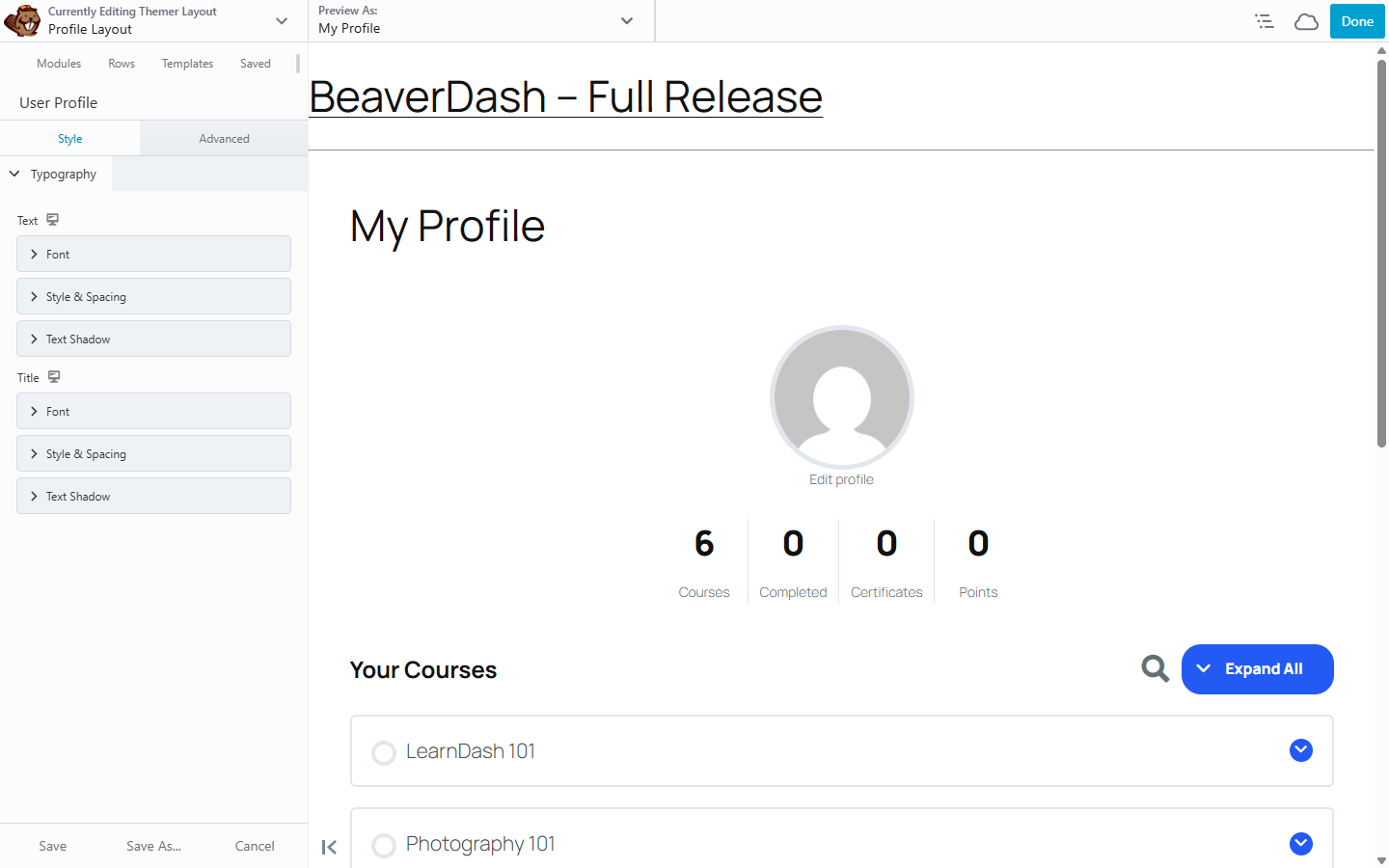
5. Style the profile output
In the User Profile module's Style tab, set typography to match your site. The module renders LearnDash's [ld_profile] shortcode output; detailed control over the profile layout requires LearnDash's own profile settings at LearnDash LMS > Settings > Profile.
6. Redirect learners to the page after login
Configure your login page or WordPress login redirect to send learners to this profile page after they authenticate. This keeps the post-login experience focused on their learning dashboard.
Result
Logged-in learners land on a page showing their full LearnDash profile — enrolled courses, progress, and certificates. Logged-out visitors see a login prompt instead.