5.1 Using Modules
BeaverDash adds 31 LearnDash-aware modules to Beaver Builder, available in the module panel under the LearnDash Modules group. This tutorial walks through adding a module to a layout and configuring its settings. The Course Navigation module is used as an example — the same steps apply to every BeaverDash module.
- Beaver Builder installed and active
- LearnDash installed and active with at least one published course
- BeaverDash installed, activated, and licensed (see Installation & Setup)
1. Open a page in Beaver Builder
Navigate to a LearnDash course, lesson, topic, or quiz page in your WordPress admin and click Edit with Beaver Builder.

2. Find the module in the panel
Click the + icon in the Beaver Builder toolbar to open the modules panel. In the search field, type Course Navigation.
BeaverDash modules are grouped under LearnDash Modules.
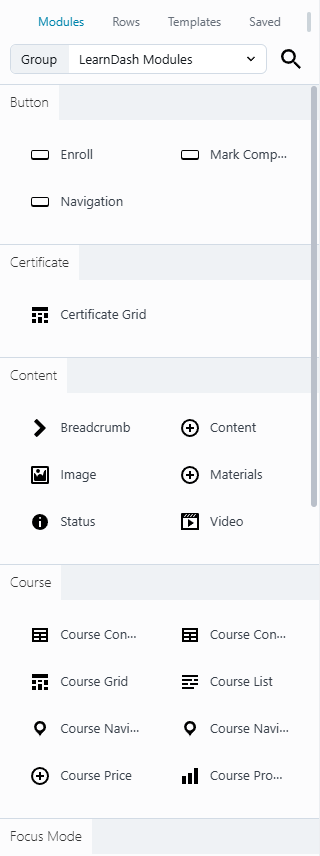
3. Drag the module onto the layout
Drag Course Navigation from the panel and drop it into a column in the layout. The module settings panel opens automatically.
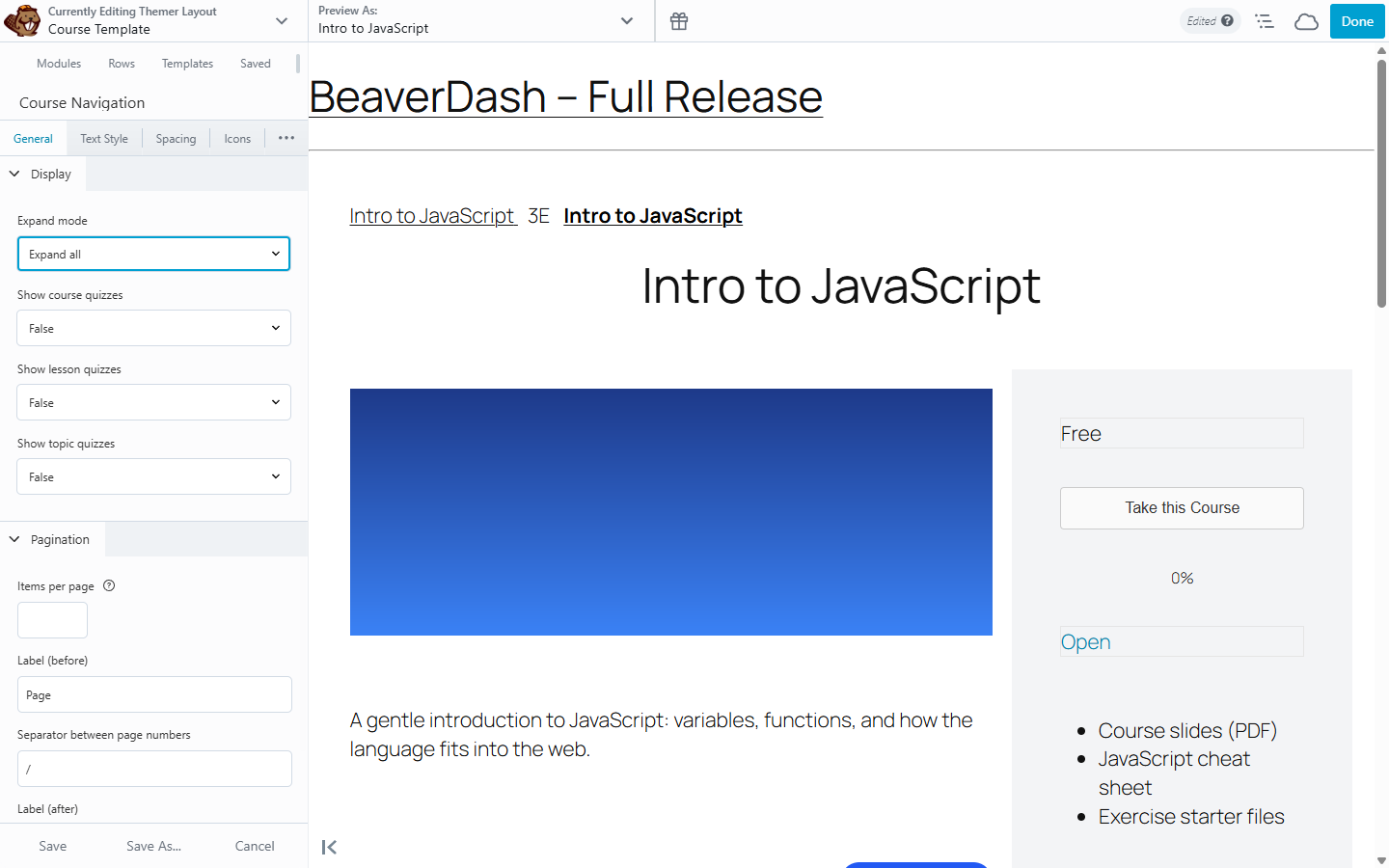
4. Configure the settings
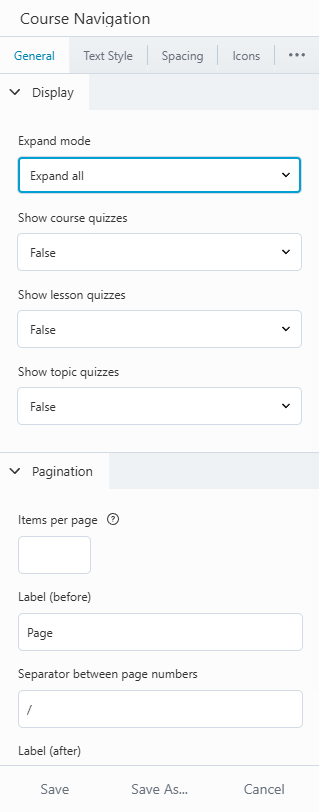
In the General tab, set the options that control the course outline's behaviour:
- Expand — whether the outline starts fully expanded, collapsed, or showing only the current section
- Show lesson quizzes / Show topic quizzes — whether quizzes appear in the outline
Use the Text Style, Spacing, and Icons tabs to adjust the visual presentation to match your design.
5. Save and preview
Click Save in the toolbar. Visit the course page to see the module rendered with real LearnDash data.
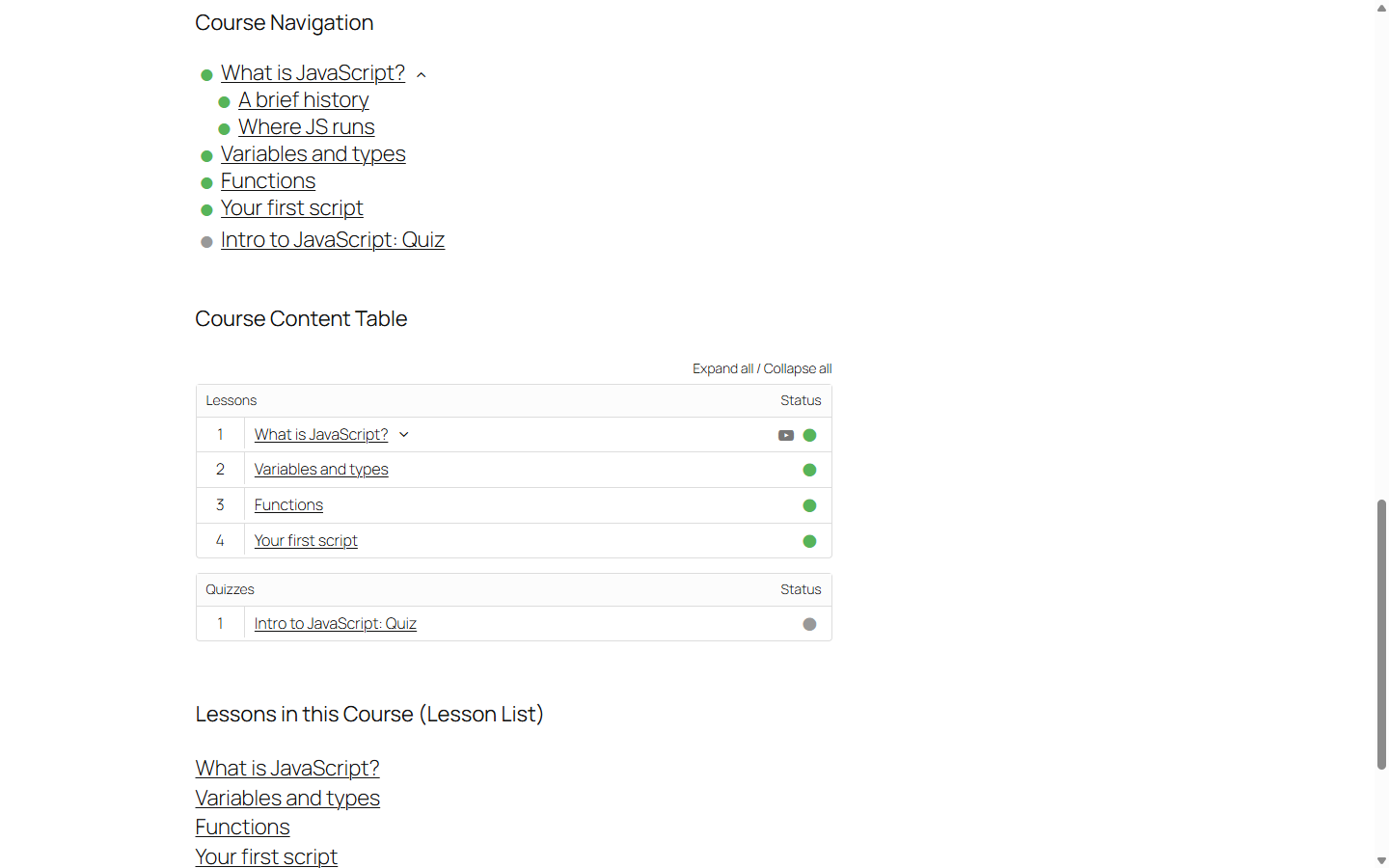
The Course Navigation module displays the full course structure and updates status icons as learners progress.
What you've accomplished
You've added a BeaverDash module to a Beaver Builder layout. The same process works for all 31 modules — find it in LearnDash Modules, drag it in, and configure in the settings panel.
For a complete list of available modules and their settings, see Modules Reference.
Next: Module Tabs and Settings — learn how each module's settings tabs are organized so you can find any option quickly.