5.4 Using Shortcodes
BeaverDash shortcodes let you embed dynamic LearnDash data — course titles, progress, navigation links, labels, and more — anywhere WordPress processes shortcodes: Beaver Builder module text fields, post content, widgets, and PHP templates.
- BeaverDash installed, activated, and licensed
- At least one published LearnDash course
Using a shortcode in a module text field
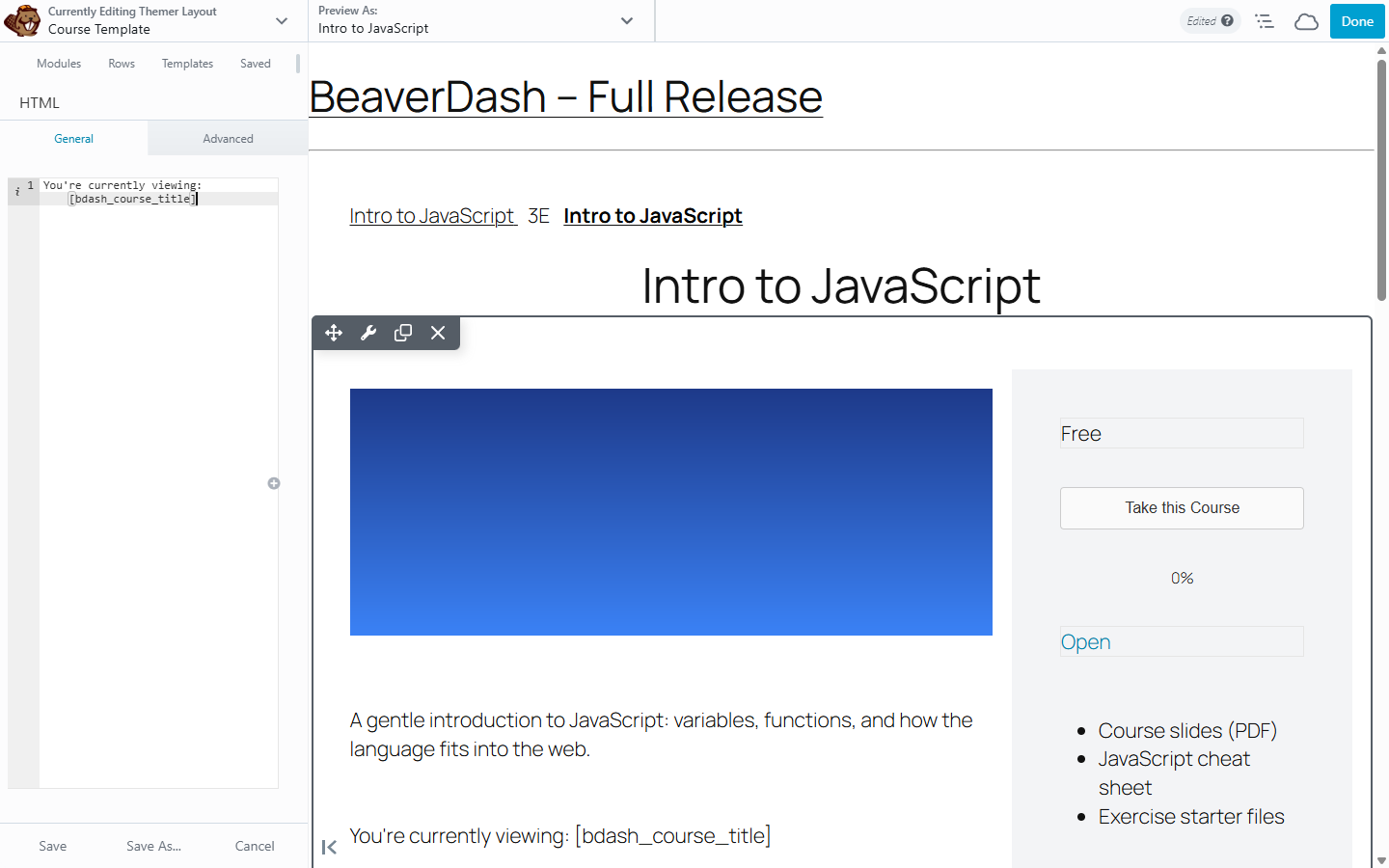
The most common use is placing a shortcode in a Beaver Builder HTML module.
Step 1: Drag an HTML module into your Beaver Builder layout.
Step 2: In the module content field, type your shortcode:
You're currently viewing: [bdash_course_title]
Step 3: Save the layout and visit a LearnDash course page. The shortcode outputs the title of the course the visitor is viewing.
Using shortcodes with attributes
Many shortcodes accept attributes to customise their output. For example, the Course Progress shortcode can return the current user's completion as a plain number with the number attribute:
[bdash_course_progress number="percent"]
On a course page this outputs the completion percentage for that course as a bare number — for example, 45 — which you can drop inline into a heading or sentence (add your own % sign). Other values are number="completed" and number="total".
For a visual progress bar (line, circle, or semi-circle), use the Course Progress module instead — see How to Display Progress and Status. The module loads the styling those shapes need; a bare shortcode does not.
See Shortcodes Reference for the full list of attributes available for each shortcode.
Conditional shortcodes
Some BeaverDash shortcodes are conditionals — they don't output text but are used as [wpbb-if] checks in Beaver Themer layouts to show or hide content based on enrollment state, course progress, or access.
[wpbb-if post:bdash_course_completed]
  You've completed this course — well done!
[/wpbb-if]
[wpbb-if post:bdash_student]
  Welcome back, enrolled learner.
[wpbb-else]
  Enroll to access course content.
[/wpbb-if]
See Conditions Reference for the full list of available conditionals.
What you've accomplished
You've used BeaverDash shortcodes to display dynamic LearnDash data in page layouts. Shortcodes work anywhere WordPress processes shortcodes — in module text fields, post content, widgets, and PHP templates.
For a complete shortcode reference organized by content type, see the Shortcodes Reference.