How to Grant Course Access Through a Membership Plan
Enroll a membership plan's members into one or more LearnDash courses, so they gain access when they join and lose it when they leave.
Before you start: you need an active LearnDash course and a WooCommerce Memberships plan. Use a closed course so access changes are visible.
Steps
- Go to WooCommerce > Memberships > Membership Plans and edit the plan (or add a new one).
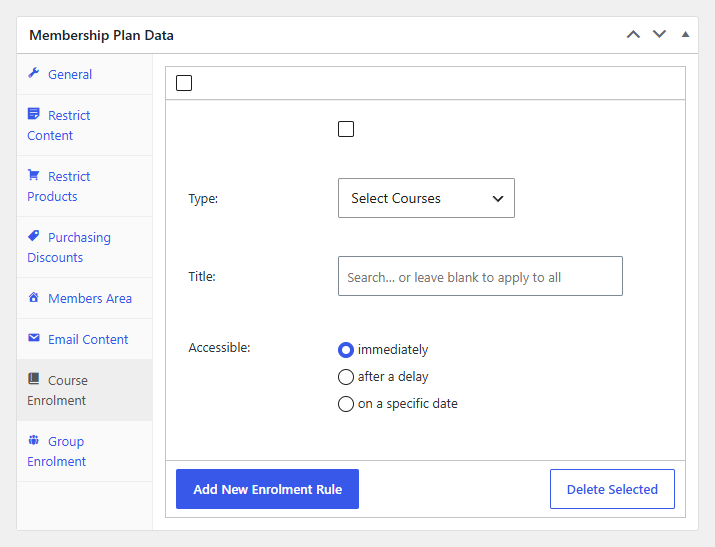
- In Membership Plan Data, open the Course Enrolment tab.
- Select Add New Enrolment Rule.
- Set Type to Select Courses, then use the search to choose the course, or leave it blank to apply to all courses.
- Set Accessible to when members should gain access:
- immediately: as soon as the membership becomes active.
- after a delay: choose an amount and period (days, weeks, months, or years), counted from the member's start date.
- on a specific date: the calendar date access unlocks.
- Update the plan to save.
Result
Members of this plan are enrolled in the selected course(s) according to the schedule you set. When a member's membership ends, MemberSync removes that access, unless they still hold it another way.
To grant access to LearnDash groups instead, use the Group Enrolment tab in the same way.