5.3 Independent Lesson Completion
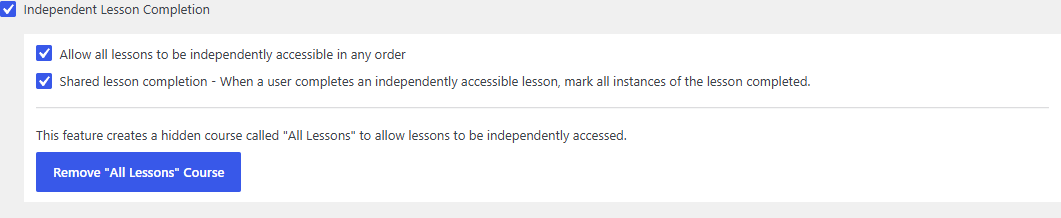
By default, LearnDash enforces linear progression: learners must complete lessons in order. The Independent Lesson Completion feature removes that requirement. Learners can open and complete any available lesson, in any order, and lesson completion can be shared across courses.
Enable the feature
- Go to Settings > Tweaks for LearnDash.
- Tick Independent Lesson Completion.
- Review the two sub-options beneath the checkbox. Both are on by default:
| Sub-option | What it does |
|---|---|
| Allow all lessons to be independently accessible in any order | Disables forced lesson progression, so a learner can jump straight to any lesson and mark it complete. |
| Shared lesson completion | When a learner completes an independently accessible lesson, every instance of that lesson is marked complete, so a lesson used in more than one course only needs completing once. |
- Click Save Changes.
What learners see
With the feature enabled, a learner can open a later lesson without completing earlier ones. The Mark Complete button is available immediately instead of being locked behind the previous lesson.

The "All Lessons" course
When this feature is active, the plugin maintains a hidden course called All Lessons. It exists so lessons can be accessed independently of any single course, and it is automatically filtered out of your course archive so visitors never see it. Leave it in place; do not edit or delete it.
Notes
- The feature also adjusts lesson permalinks so independently accessed lessons resolve to clean URLs.
- To control when lessons become available (rather than in what order), see Drip Lessons.