6.3 Access Scheduling
Each enrolment rule on a membership plan (6.2) has an Accessible setting that controls when the member gets the content. There are three modes.
The three schedules
- Immediately — the member is enrolled as soon as their membership becomes active.
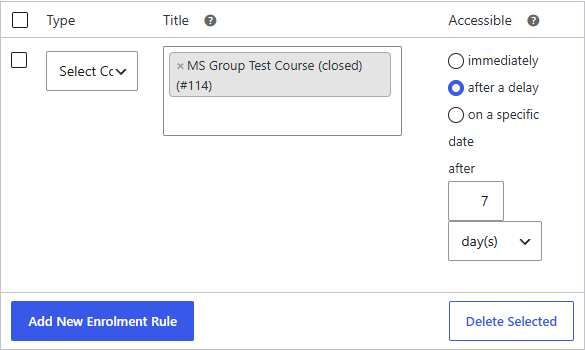
- After a delay — access is granted a set time after the membership's purchase date: an amount plus a period (days, weeks, months, or years). For example, 7 days after purchase.
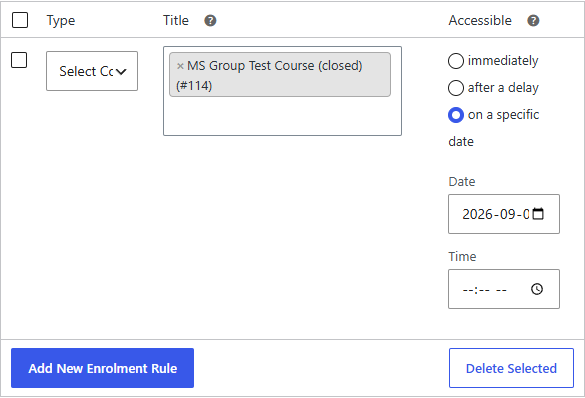
- On a specific date — access is granted on a fixed calendar date and time.
Choosing after a delay reveals an amount and period on the rule:
Choosing on a specific date reveals a date and time picker:
How it behaves
- Immediate access is applied right away when the membership is saved or activated.
- Delayed and specific-date access is scheduled. The member has no access to that content until the scheduled time arrives, at which point they're enrolled automatically — no manual step needed.
note
The schedule is per rule, so one plan can grant some courses immediately and drip others out over time.
tip
A delayed rule counts from the membership purchase date, not from when you edited the plan — so adding a "after 7 days" rule applies 7 days from each member's own start date.