9.5 Product Settings
Requires the Teams add-on
These options concern team ↔ group syncing and require Teams for WooCommerce Memberships.
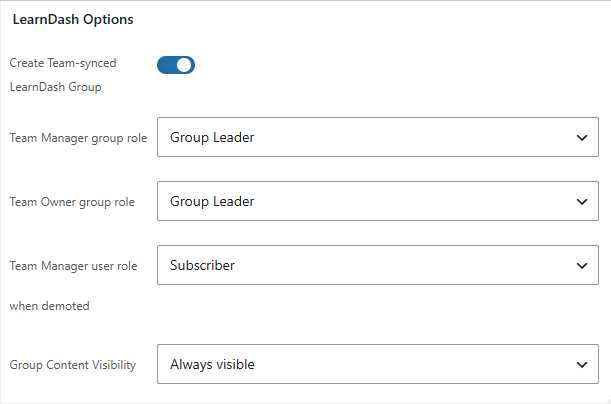
A product editor gains a MemberSync tab with these LearnDash options:
| Setting | Description |
|---|---|
| Create Team-synced LearnDash Group | When on, buying/creating a team from this product auto-creates a LearnDash group synced to the team. |
| Team Manager group role | The LearnDash group role a team manager receives — Default or Group Leader. |
| Team Owner group role | The group role a team owner receives — Default or Group Leader. |
| Team Manager user role when demoted | The WordPress role a manager reverts to when demoted/removed. |
| Group Content Visibility | Whether the synced group's content is Always visible or Visible to enrolees only. |
note
The MemberSync tab only appears on a product after it has been saved once — create and save the product first, then the tab and its options become available.