5.1 Installing MemberDash
Install MemberDash and the three plugins it depends on, so its membership-to-course features become available.
MemberDash gates all of its functionality behind three active plugins. Install and activate these first:
- LearnDash — see Getting Started with LearnDash
- WooCommerce — see Getting Started with WooCommerce
- WooCommerce Memberships — see Getting Started with WooCommerce Memberships
If any of the three is missing or inactive, MemberDash loads only a notice prompting you to install it.
1. Download MemberDash
Purchase MemberDash from the product page, then download the plugin .zip from your Tangible Plugins account.
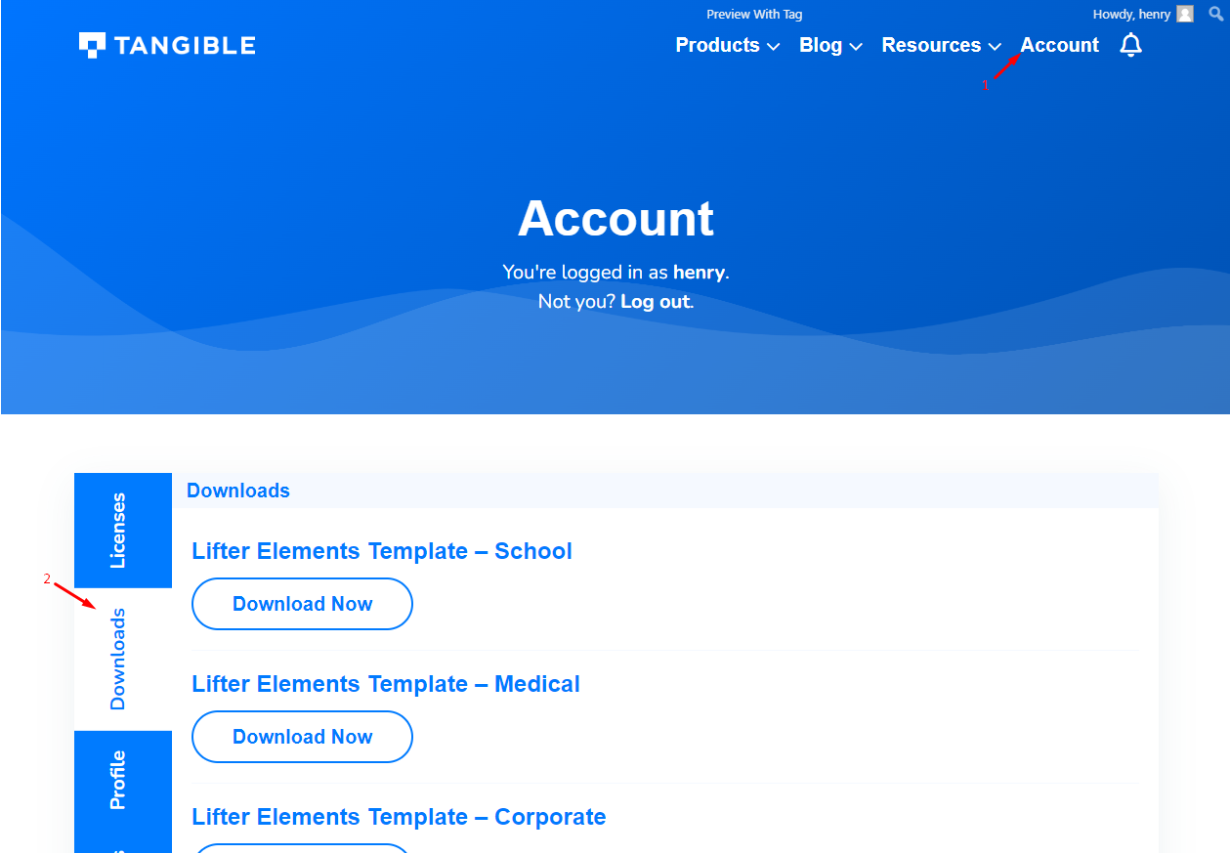
2. Upload and activate the plugin
In your WordPress admin, go to Plugins → Add New → Upload Plugin, choose the .zip you downloaded, and click Install Now. When installation finishes, click Activate.

3. Confirm MemberDash is running
Once activated, a MemberSync settings screen appears under Settings → MemberSync, with Documentation, Settings, and Tools tabs (plus License and Support).
The plugin's internal name is MemberSync — you'll see that label on the settings screen even though the product is MemberDash.
What you've accomplished
MemberDash is installed and active, with its three dependencies in place. Next, activate your license (License Activation), then head to Basic Usage to link membership plans to LearnDash courses.