4.2 License Activation
Activate your BeaverDash license key to receive automatic plugin updates and support.
1. Find your license key
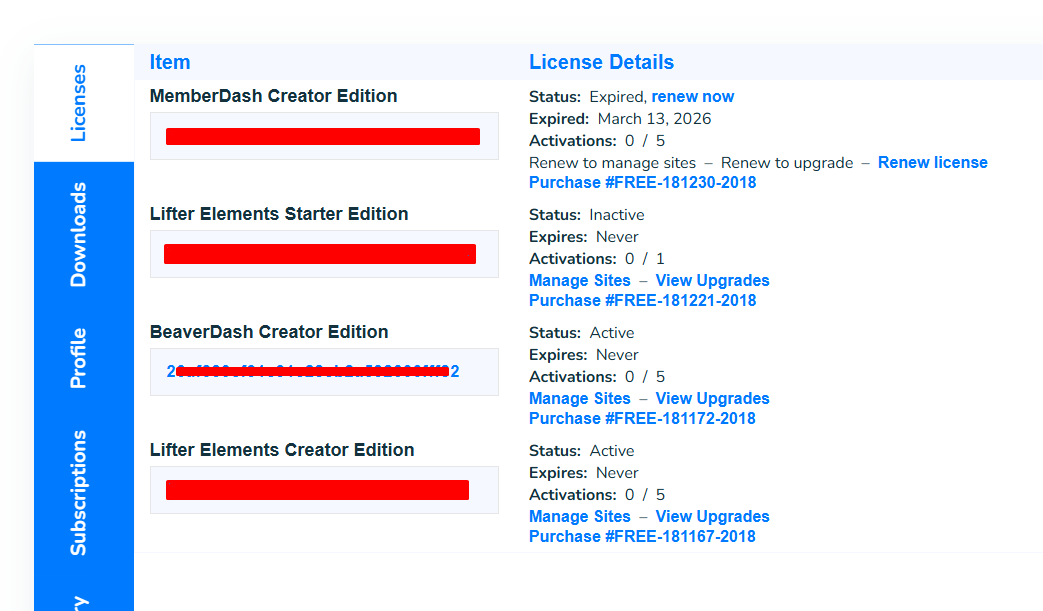
Log in to your Tangible account and go to the Licenses tab. Copy the license key for BeaverDash.
2. Enter the key in WordPress
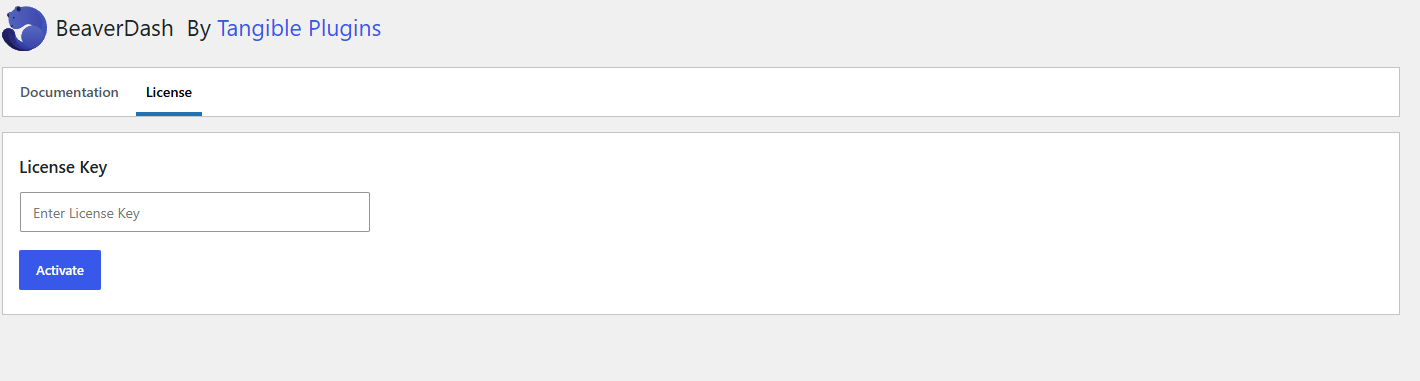
In your WordPress admin, go to Settings > BeaverDash. Click the License tab, paste your license key into the field, and click Save License Key.
3. Confirm activation
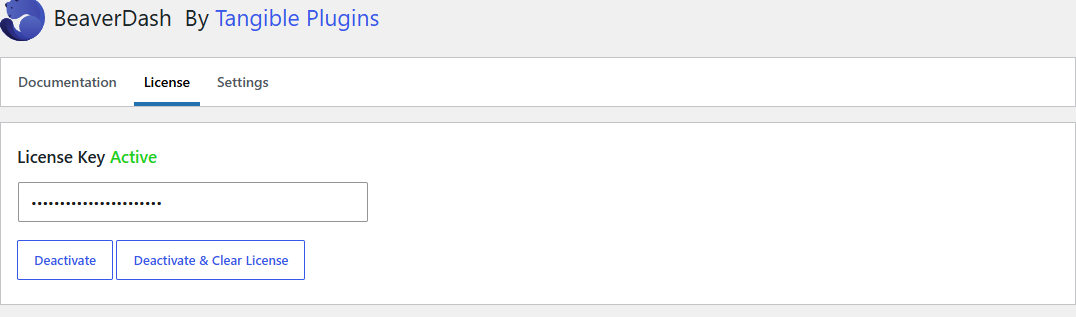
Once the key is saved, the status indicator changes to Active in green. Your site is now registered and will receive automatic updates.
note
BeaverDash is available in several license tiers based on the number of activations. See the BeaverDash pricing page for current options.
Next step
With BeaverDash installed and licensed, go to Basic Usage to start building.