4.2 License Activation
Activate your LearnDash Materials Extended license key to receive automatic plugin updates and support.
1. Find your license key
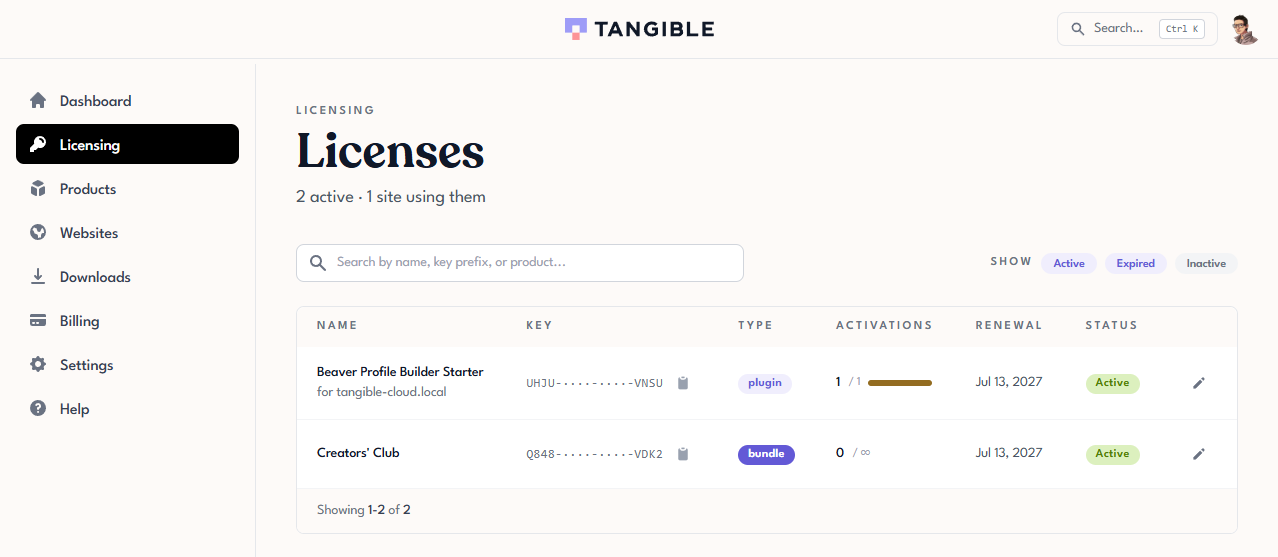
Sign in to Tangible Cloud and click Licensing in the left navigation. Find the license for LearnDash Materials Extended and click the copy icon next to the masked key in the Key column. The full key is copied to your clipboard.
2. Enter the key in WordPress
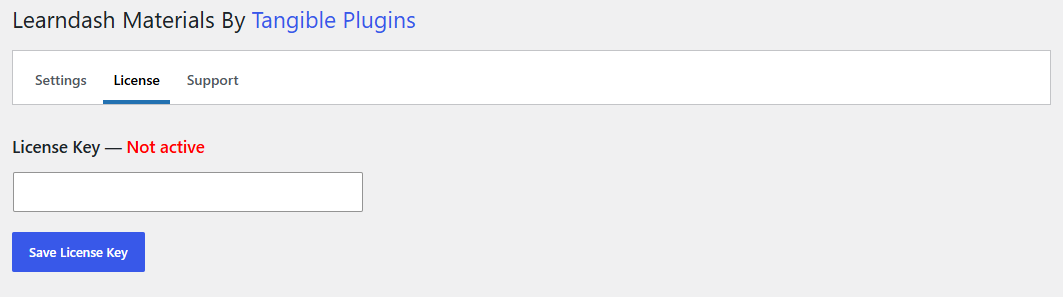
In your WordPress admin, go to Settings > Learndash Materials. Click the License tab, paste your license key into the License Key field, and click Save License Key.
3. Confirm activation
Once the key is accepted, the status next to License Key changes from Not active to active. Your site is now registered and will receive automatic updates through the WordPress admin.
Next step
With LearnDash Materials Extended installed and licensed, add your first materials: 5.1 Adding Materials to a Lesson.