Profile Delete Form
Profile Delete Form
Renders a button that lets the currently logged-in user delete their own account after a confirmation popup.
Deletion is permanent
A confirmed deletion removes the account immediately via WordPress's standard user deletion. Content authored by the user is not reassigned.
Usage
Self-service account removal — Give users a way to delete their account without contacting support, commonly required for privacy compliance. See How to Let Users Delete Their Account.
How it works
| Situation | Behaviour |
|---|---|
| User clicks the delete button | A confirmation popup appears; nothing changes yet. |
| User cancels | The popup closes; the account is untouched. |
| User confirms | The account is deleted, the completion message shows, then the configured after-deletion behaviour runs. |
| Request fails its security check or no user is logged in | The request is rejected and no deletion occurs. |
Settings
General
| Setting | Description |
|---|---|
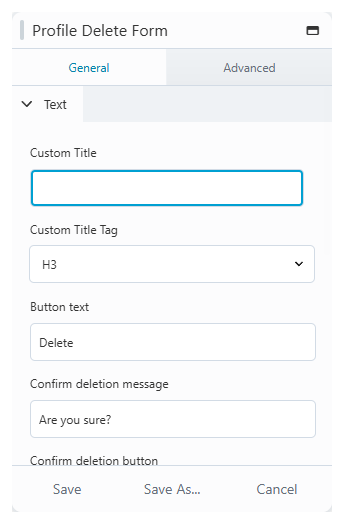
| Custom Title / Tag | Optional heading rendered above the button. |
| Button text | The delete button label ("Delete" by default). |
| Confirm deletion message | The confirmation question ("Are you sure?" by default). |
| Confirm deletion button | Label of the confirm button. |
| Cancel button | Label of the cancel button. |
| Post deletion text | Label of the close button shown after deletion (Button behaviour only). |
After deletion
| Setting | Description |
|---|---|
| Post deletion behavior | What happens after deletion: None, Button (a close button linking to a target page), or Redirection (automatic redirect). |
| Post deletion target | The destination: the home page or any published page. |